
Circuit design app for professionals and beginners
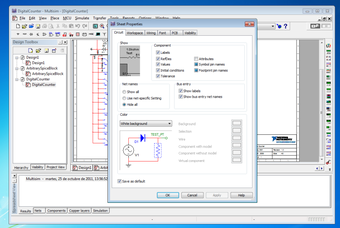
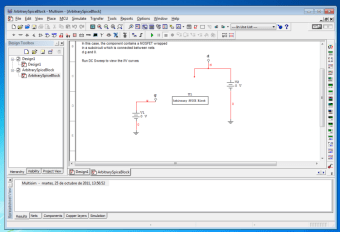
Ni Multisim, formerly known as Electronic Workbench, is the ultimate environment for designing electronic circuits and performing SPICE simulation. This design application integrates industry-standard SPICE simulation with an interactive schematic environment. With this, it can instantly visualize and analyze electronic circuit behavior.
Whether you are an expert on the subject or a complete beginner, Ni Multisim is the circuit design program for you. It is simple and easy to use, but it comes packed with all kinds of electronic components. Circuit Simulator, Ktechlab, and QUCS may run on other operating systems, but it is not as capable as this program.
Electronic circuit design for beginners
Ni Multisim is one of the most advanced software for designing analog, digital, and power electronic circuits. The app provides all the features that electrical engineers and technicians need in designing and creating electric circuits effectively. However, this does not mean that beginners will have a hard time using it. In fact, the app is a perfect training tool for students.
The app is a fully integrated environment, making it simple for beginners. In it, you will find plenty of information that can help you understand the process. You can also model and amend difficult concepts with ease. Moreover, the app makes it possible to manipulate and navigate the program layout to your specific needs. Not only that, but its intuitive interface also helps in the reinforcement and retention of the circuit theory.
Furthermore, you can use Ni Multisim to find errors with your circuit design. This feature is excellent since it can help you learn from any mistakes you make. Even better, it does not require you to spend money on new parts. With this, you can rectify your mistakes for free. More than that, the program models prototypes and checks if your design is robust. Finally, it allows you to load tons of extra modules for processes within your circuit.
Advanced features for professionals
As mentioned, Ni Multisim caters to both beginners and professionals. If you are an electrical engineer, you will find various advanced features in the app at your disposal. With this, you can design the circuits effectively and confirm that there will be no issues with them once you complete your design. Note that while the tools it features are advanced, the software simplifies the process, allowing you to pay attention to important things.
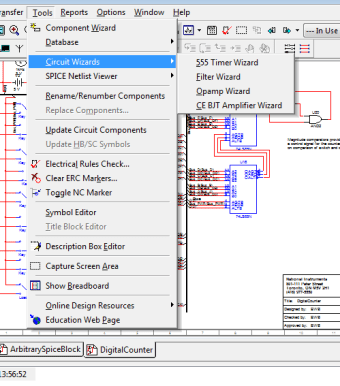
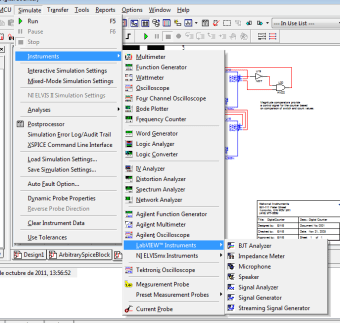
Among the tools that the app boasts about is the library. Here, you can find more than 3500 electronic components, as well as predefined schema, SPICE simulation, VHDL, and a PCB generator. More than that, you can also use the app to reduce PCB prototype iterations and add powerful circuit simulation and analysis to the design flow. With this, you can save on development costs. Ni Multisim also includes a test system, which makes sure that all components function as they should.
Final thoughts
Taking things into consideration, Ni Multisim is one of the best solutions for electric circuit design. The app comes packed with features that help users in designing, analyzing, and creating electric circuits. More than that, it simplifies the process, making it a great tool for students and complete beginners. There may be other options available, but this app is a forerunner in terms of both capability and usability.





.png)














.png)